Showing posts with label Raspberry Pi. Show all posts

Tuesday, December 31, 2013

CapeDwarf, GAE and the Raspberry Pi

This Christmas I decided to take a look at turning my collection of Raspberry Pi's into a private Cloud. I had two options: OpenShift Origins or CapeDwarf. I decided to go with CapeDwarf since it runs on OpenShift as well.

I started with the latest v1 of CapeDwarf which requires JBossAS 7.2, with the intention to build everything from scratch. However, there were some issues due to the migration of AS7 to WildFly as well as with that version of CapeDwarf, so after talking with the team I decided to wait until they released the 2.0.0.Beta1 version just after Christmas.

I may still try and build everything from scratch at some point, but to save time I decided to go with the pre-build binary distribution and verify that it worked on the Pi. Before we start, make sure you have the right version of maven installed (3 onwards):


This isn't right, so let's update maven (sudo apt-get install maven git). And obviously ensure you've got a version of JDK 7 installed (this is the page I refer to when updating). Next download the pre-built Beta 6. Try running that (don't forget to set JBOSS_HOME):

And eventually 


It's always nice to see WildFly start, unmodified, on a Raspberry Pi :-) You can test this WildFly deployment by going to the management console (port 9990). I installed the Lynx browser on my Pi so I could test locally (it's a headless instance). Lynx takes a bit of getting used to, but:


Validating your CapeDwarf installation isn't as simple as it could be at the moment, but I know the team are going to look into this along with a worked example. So for now we'll follow the instructions on the github repo and check out capedwarf-shared and capedwarf-blue. Build -shared first. Initially ...

mvn clean install -Dmaven.repo.local=~/mavenrepo

However, it turns out that using ~ causes problems, so let's redo using an absolute path this time:

mvn clean install -Dmaven.repo.local=/home/pi/mavenrepo


Next, we build -blue using the same local maven repo:

mvn -U clean install -Dmaven.repo.local=/home/pi/mavenrepo

Now initially this kept failing after 30 minutes or so …


After some investigation it turns out this is due to name resolution within the Pi itself. Either ensure your Pi is registered in a DNS somewhere or edit /etc/hosts to set 127.0.0.1 to the name of the Pi. Then rebuild.

And after an hour or so (the Pi isn't fast!):


And that's about it for now. We've got GAE (via CapeDwarf) up and running on a Pi, as well as verifying the installation. Next steps would be to build and deploy some applications, but that'll have to wait for now.

Sunday, March 31, 2013

A Raspberry Pi and vert.x related cross-posting

I've been making progress on another Pi-related project. Since it also involves transactions, I posted it on the JBossTS blog, but wanted to cross-post here for those who may not track that blog separately.

Friday, February 22, 2013

Updating vert.x examples on the Pi

As I mentioned earlier, I've been repeating earlier experiments around running vert.x on a 256 Meg model B Raspberry Pi. I was working through all of the Java examples and didn't have time to go through them all again. But here's an update on the rest.

For a start, I should Fanout Server works, but again you may need to install a telnet client on your Pi, or run remotely. However, the HTTPS example failed (on Safar, Chrome and Firefox) and I remember this happened in December when I first did this work. I reported the problem to Tim and hopefully we'll get to the bottom of this eventually:


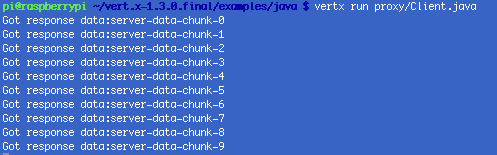
The Proxy example works too, but you need to remember that the Pi isn't an i7 multicore laptop, so just be patient:

PubSub is another example that often requires a little patience before trying to telnet, but the results are worth it:

The Upload example is relatively simple:

Route Match works too, but remember that the text in the example is wrong and the actual directory is route_match and not routematch!
Make sure you have your CLASSPATH set correctly before running the Resource Load example:

And I think that's it. As I mentioned before, if you have any problems reproducing any of this then let me know and I'm happy to try to help.


Thursday, February 21, 2013

More adventures in Pi land with vert.x

It seems that some people are seeing problems running vert.x on the Pi, so I decided to double check what I did over Christmas. I'm using the exact same configuration as the last time, so it's still the soft float implementation of Wheezy. If people still have difficulties duplicating what I'm seeing here then I'll try again with the hard float version.

So I worked my way through some of the vert.x Java examples only (I'll try the ones I missed at a later date). The thing to realise straight away is that if any of the examples tell you to point a browser, telnet or some other client at a running service then wait a while before doing so: the Pi isn't the speediest device on the block and sometimes it just takes that little bit longer to get going. Try running netstat in a different shell to see what ports have been created and bound as well:


Starting with EchoServer+Client (you may need to install a telnet client, or just connect from a different machine):


Through HTTP ...


And SendFile ...


SSL of course ...


... and a copy of top output to show the two instances running ...


It wouldn't be a good test of the capabilities of the Pi and vert.x without some WebSockets running, so here's what you should see upon success:

And finally Eventbus Bridge:


There were some failures. HTTPS for instance but I think this is a known problem and will investigate this further before posting anything. However, hopefully this is enough to be getting on with to show that it should be possible to run most (probably all) of the vert.x Java examples on a Raspberry Pi.


Saturday, January 05, 2013

An update on Pi work

After a few interactions with people on the twitter-verse and writing the blog about building MongoDB for the Pi, I decided that it was probably a good thing to bundle up my distribution of MongoDB for the Raspberry Pi and make it publicly available. So if anyone wants to get it, it's available on github at https://github.com/nmcl/mongo4pi. Enjoy and let me know if you have any issues with it.

Monday, December 31, 2012

Adventures in Pi Land Part Two

In the first part of this blog we looked at the initial setup of the Raspberry Pi. In this one we'll look first at building and running Fuse Fabric, followed by vert.x. So first Fabric and before I go on it's worth mentioning that this is still not complete and I need to check with the team in the new year to figure get more details on the problems, which could very well be due to my setup on the Pi.

Initially we had 256 Meg of swap and with maven2 installed the Fabric build docs tell us to use the m2 profile option (and the right MAVEN_OPTS). Unfortunately the initial build attempt failed with maven2, so I installed maven 3.0.4 which gets us a little further:


[ERROR] Failed to execute goal org.apache.maven.plugins:maven-surefire-plugin:2.12:test (default-test) on project archetype-builder: Error while executing forked tests.; nested exception is java.io.IOException: Cannot run program "/bin/sh" (in directory "/home/pi/fusesource/fuse/tooling/archetype-builder"): java.io.IOException: error=12, Cannot allocate memory -> [Help 1]

So we increase swap to 1024 Meg by again editing the /etc/dphys-swapfile as mentioned before. This helped, but even with these options, the Pi crashed after about 6 hours of building. (Yes, the Pi crashed!) And as you can see from the screen shot, prior to this Java was taking up a lot of the processor time.


And if not Java, then writing to swap:


After playing with more configuration parameters (with failures 6+ hours later) and ordering a faster SD card (which has not turned up at the time of writing), I decided to try the the latest official binary of Fabric from the download site (fuse-fabric-7.0.1.fuse-084) - no point struggling to get it to build if it won't run anyway. Working through the Getting Started tutorial did not produce the expected output, which needs investigation once I get back to work and can talk with the team. For instance, when trying to use camel ...


And over 7 minutes later the same command gave:


And running top showed the processes were fairly idle:


I spent a few more hours trying other options, but nothing really seemed to make a difference or indicate whether the issues were with the Pi or elsewhere. But I still consider this a success, since I learnt a few things more about the capabilities and limitations of the Pi that I hadn't before, as well as about Fabric (which was the original project I had set myself). And I will return to this and see it through the completion soon.

So onwards to vert.x. Initially I decided not to build the latest source, but to just see if the official binary would run. Now vert.x requires JDK 7, so we need to download and that from Oracle. Next, downloading and installing vert.x-1.3.0.final and following the installation guide brings us to:

Success! It took over a minute for the server.js example to initialise (since I'm connecting remotely to the Pi, I changed localhost to the actual IP address). But HelloWorld eventually worked.

We're on a roll here! Next we moved on to the JavaScript Web Application Tutorial - I want to test as much of vert.x as possible and implicitly the Raspberry Pi's boundaries. This tutorial needs MongoDB. Unfortunately you can't just install the Linux distribution version as it's not suitable for the Pi. I looked around to see if there was a build I could get elsewhere and found one, but unfortunately that needs the hardware floating point version of Wheezy, which we can't use if we are using Java 6 or 7.

Someone said that you can build an older version of MongoDB from source which I tried. To do this I made sure we were still working with 1024 Meg of swap. But unfortunately after about 10 hours, the build failed:

Fortunately a little digging around found a couple of other options and I went with the first, i.e., http://mongopi.wordpress.com/2012/11/25/installation/. Still with 1024 Meg of swap, after 12 hours of building and similarly for installation, I ended up with a running version of MongoDB on the Raspberry Pi!


I was then able to progress through the example, but still had a few failures due to incorrect module versions mentioned in the walkthrough. Thanks to Tim for giving the right numbers and he's going to update the pages asap. There are still a few niggles with the example failing during authentication, but I can live with them for now and will get to the bottom of them eventually.

But what about building vert.x from scratch on the Pi? Well that was a lot easier than I had thought given everything else that's happened so far. Building vert.x head from source and getting Jython 2.5.2,  we initially get an error:

But if you use the nightly build of gradle:


Which eventually results in ...


Success again!

So what does all of this mean? Well apart from the obvious areas where I still need to see success, I think it's been a great exercise in learning more about the Pi. I've also learnt a lot more about the various projects I wanted to play with this festive season. I'm happy, even if it did take quite a few more days to do than I expected originally!

Adventures in Pi Land Part One

Over this Christmas vacation I set myself a number of pet projects that I'd normally not have time to do during the rest of the year. Over the last 6 months or so I've been playing with the Raspberry Pi, but not really pushing it a lot - more a case of playing around with it. So I decided that I'd try and make all of my projects over Christmas relate to the Pi in one way or another. This blog and the follow up, will relate what happened.

OK, so before we really get going it's worth looking at the Pi setup. In keeping with its background, setting up the Pi is pretty simple and you can find details in a number of places including the official Pi site. But I'll include my configuration here for completeness. First, I've been using one of the original Model B instances, i.e., one with 256 Meg of memory and not the newly updated version with 512 Meg. As a result, if you've got a newer version then you may be able to tweak a few settings, such as the swap space.

Because I'm playing with JDK 6 and 7, I used the soft-float variant of Wheezy. After burning that to an SD card, remember to use rasp-config to get back the entire disk space, or you'll find an 8Gig SD card only appears to have a few hundred Meg free! And don't forget to use the right kind of SD card - faster is better. I run my Pi headless (no free monitor or keyboard these days), so initially I had it connected to my router via an ethernet cable and then immediately configured wifi. How you do this will depend upon the wifi adapter you use, but I'm happy with the Edimax EW-7811Un and you can get information about how to update the kernel with the right driver from a number of places.

Once wifi was up and going, I changed swap size for the Pi. In the past this wasn't an issue, but then I hadn't been about to build Arjuna, Fuse, vert.x and MongoDb! You can modify swap by editing /etc/dphys-swapfile and then running /etc/init.d/dphys-swapfile stop followed by /etc/init.d/dphys-swapfile start. Initially I started off with 256 Meg of swap, but as you'll see later, this wasn't always sufficient! Finally let's start by adding openjdk 6 (sudo apt-get install openjdk-6-jre openjdk-6-jdk) followed by git and maven (sudo apt-get install maven2 git).

So this brings us to a base from which we can proceed with the real projects. The first one, which was building Arjuna/JBossTS/Narayana, was pretty straightforward compared to the others and has been documented elsewhere. Which means in the next instalment we'll look Fuse Fabric, vert.x and because of that project, MongoDB.